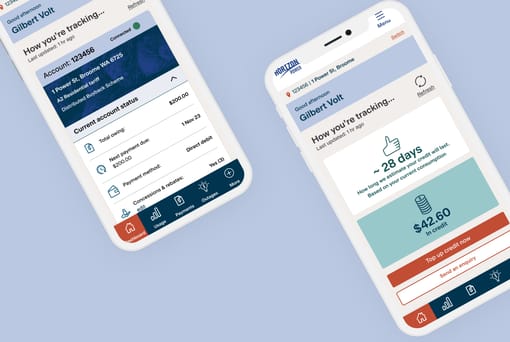
You can pay your bill with a credit or debit card by logging in to MyAccount or by using the pay online form. If you’re logged in, the form will prepopulate with your account number and the current amount owing on that account – which you can amend if you need to. After you make a payment, we’ll email you a copy of your payment receipt for your records.
Visit the Payments section of MyAccount to view and update your payment preferences including signing up for Direct Debit or if you need to cancel any existing arrangements.
Direct Debit is the set and forget way to keep on top of your bill payments:
Direct Debit is the set and forget way to keep on top of your bill payments:
- Pay your bill in full whenever it’s due
The total amount due will be automatically deducted from your credit or debit card or bank account on the payment due date. - Make smaller, regular payments along the way - so it's easier to budget for your energy costs
You get to choose the day, how much and how often. Chip away at your bill every week, fortnight or month. It's easier to align to your pay cycle or budget because you can choose the day to deduct the payment from your account.
Visit the MyAccount Dashboard to view the current account summary, including your latest bill and due date.
If you need a little more time to pay your bill - you may be eligible for a payment extension. Select the ‘More time to pay’ button to see what payment extensions or arrangements that could be available to you.
If you need a little more time to pay your bill - you may be eligible for a payment extension. Select the ‘More time to pay’ button to see what payment extensions or arrangements that could be available to you.
Yes. You can pay any bill with a credit or debit card if you have the account number handy. To access the payment form, you can either log in to MyAccount (remember to update the account number) or use the pay online form on our website.
Visit the Payments section of MyAccount to view and update your payment preferences including signing up for direct debit and cancelling any existing direct debit arrangements.
To update an existing direct debit, including your bank account or credit card details, you will need to cancel your existing direct debit arrangement and set up a new one using the Direct Debit online form.
To update an existing direct debit, including your bank account or credit card details, you will need to cancel your existing direct debit arrangement and set up a new one using the Direct Debit online form.
Visit the Payments section of MyAccount and select the History tab to view your billing and payment history and to download your previous bills.
Yes. You can set a spend goal for your account and we will notify you (by SMS or email) when your current energy charges reach 50% or 100% of this amount during the current bill period. Your notification will be sent to your account-registered mobile number or email address - so please check your details are up to date.