Registering for MyAccount is easy and can be completed in a few easy steps.
Visit login.horizonpower.com.au/register-for-myaccount and:
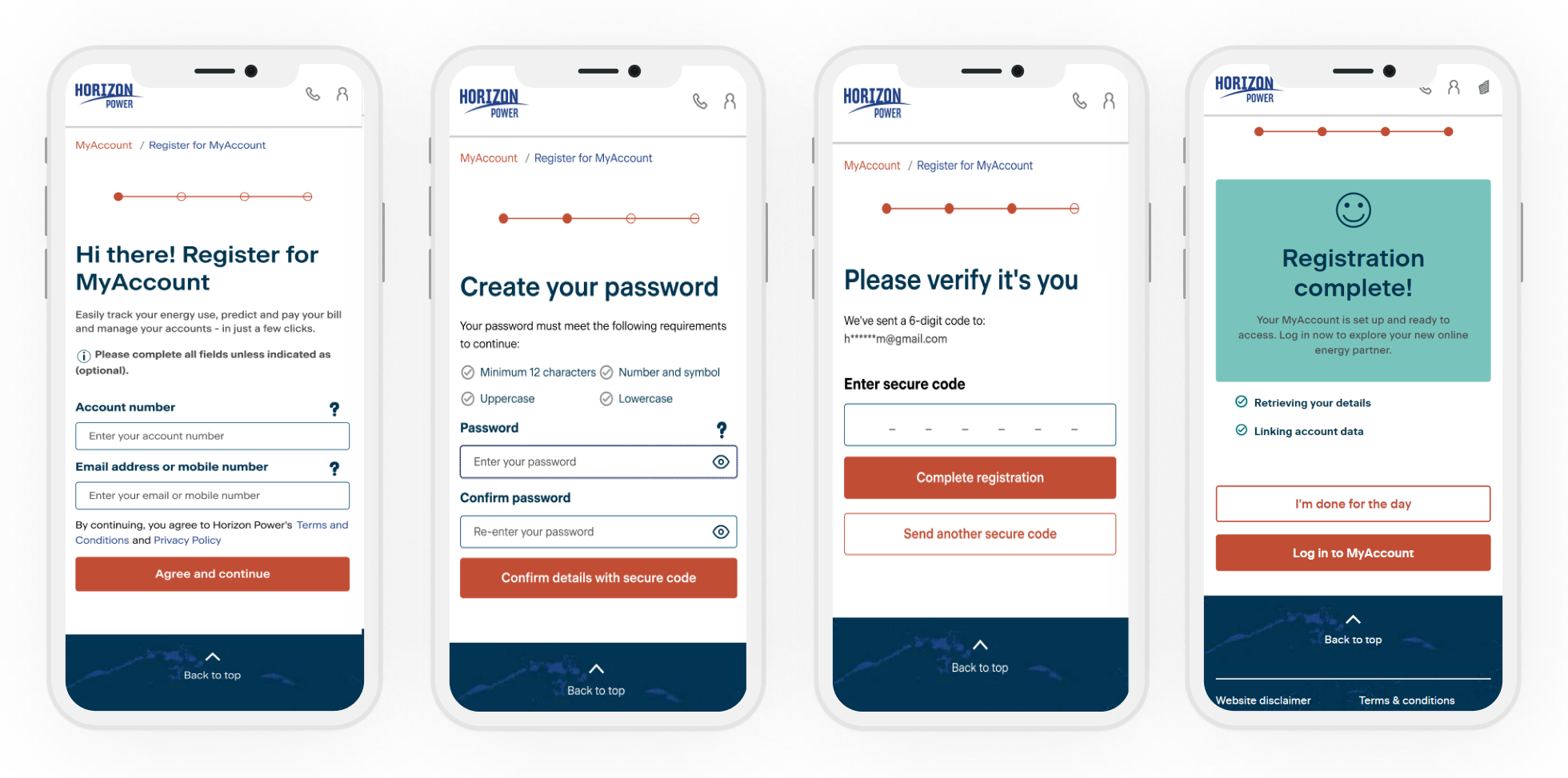
Visit login.horizonpower.com.au/register-for-myaccount and:
- Enter your account number (you'll find this printed on your electricity bill in the top right-hand corner) and the email address or primary mobile number that you have linked to your account.
- Set a secure password.
- Confirm it’s you by entering the one-time code we’ll send to your email or mobile.
Your account number is printed on your electricity bill in the top right-hand corner. If you don’t have a copy of a previous bill handy, please contact us for assistance.
Registering with MyAccount should only take a few minutes.
Please have your account number handy (you'll find this printed on your electricity bill in the top right-hand corner) and the email address or primary mobile number that you have linked to your account.
Please have your account number handy (you'll find this printed on your electricity bill in the top right-hand corner) and the email address or primary mobile number that you have linked to your account.
If you need to update the email address and phone number you use to log in, please contact us for assistance. Or you can submit a request to update your contact information, including your email address and phone number, in the Self serve section of MyAccount.
You can reset your password at any time by visiting login.horizonpower.com.au/reset-forgotten-password
You can reset your password at any time by visiting login.horizonpower.com.au/reset-forgotten-password
Register for MyAccount with one of your accounts - using the 6 digit account number and the email address or mobile number that you have linked to your account.
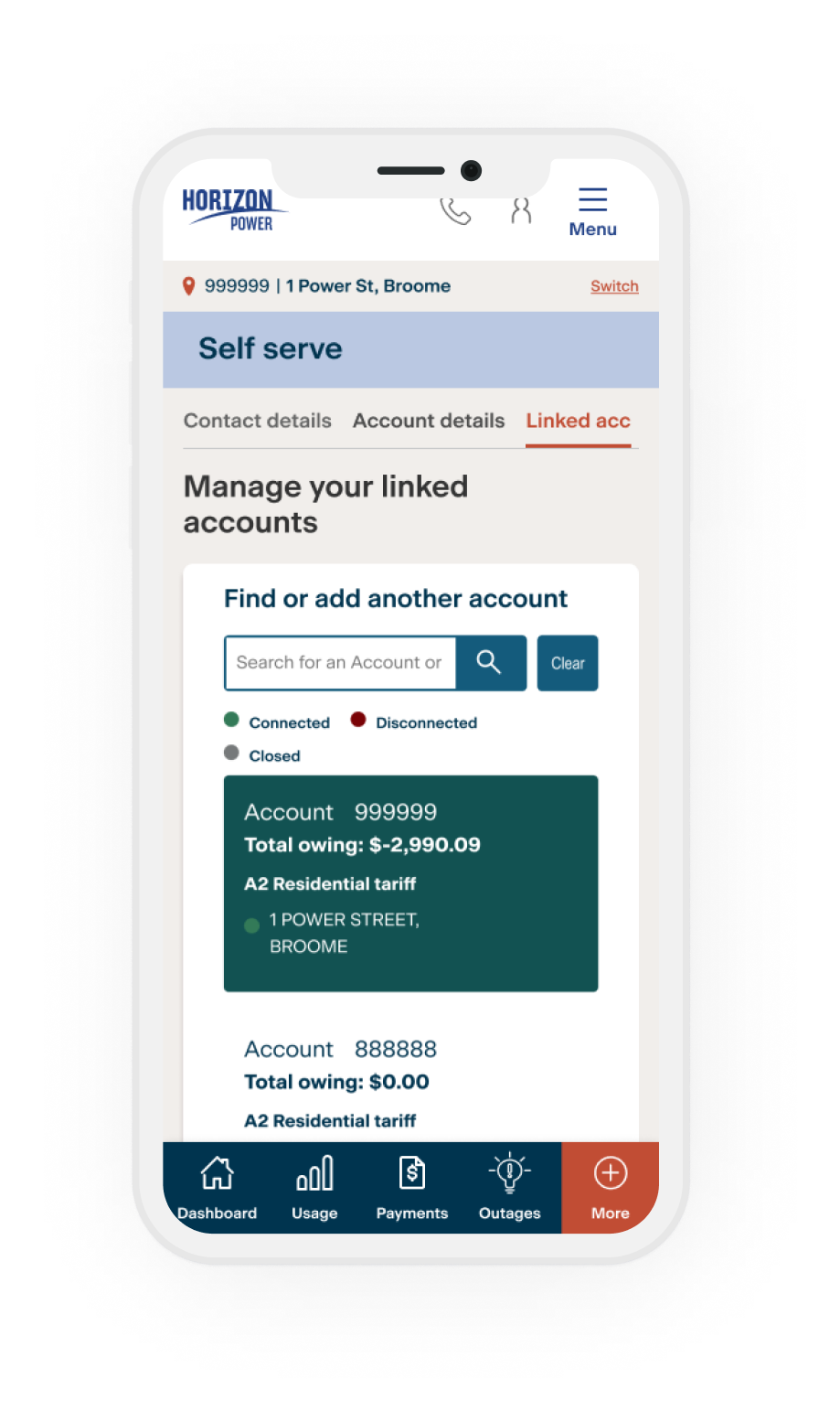
- Once you log in, you can easily add all your other accounts in the Self Service section.
- Select More from the menu
- Then select Self service link
- And then tap Link another account
You’ll need your other account numbers handy, plus the account holder's name - exactly as it appears on the bill.